

AR Remote Assistance Software That Cuts Truck Rolls by Up to 50%
AR remote assistance lets a remote expert see a technician's or customer's live camera view, draw annotations directly on the equipment, and guide them step by step, so problems get solved without a site visit. ResolveGrid Assist runs on any phone, tablet or browser, with no app download required.
Remote assistance is one part of ResolveGrid's AI field service software: the same platform also guides technicians through troubleshooting on their own and verifies the work through the camera before the expert is ever needed.
“With ResolveGrid the team sees precisely what I am talking about. This saves time and brings greater precision in my remote guidance. ResolveGrid is a tool that allows us to be more reactive.”








CareAR is now ResolveGrid Assist
Same AR remote assistance product, same integrations, new name. Everything you knew as CareAR Assist runs on as ResolveGrid Assist. Existing customers sign in at carear.app as before.

From call to fix in four steps
INVITE
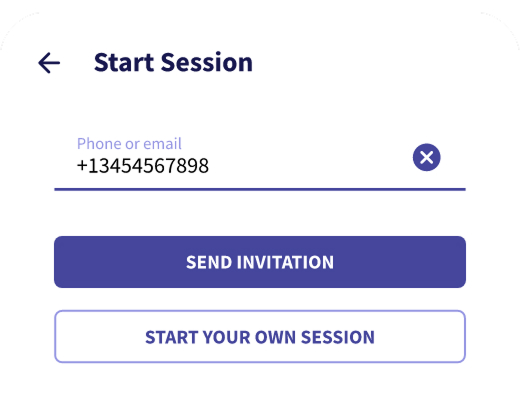
Invite participants to your session by sharing a link via SMS, email, or session code.
SEE
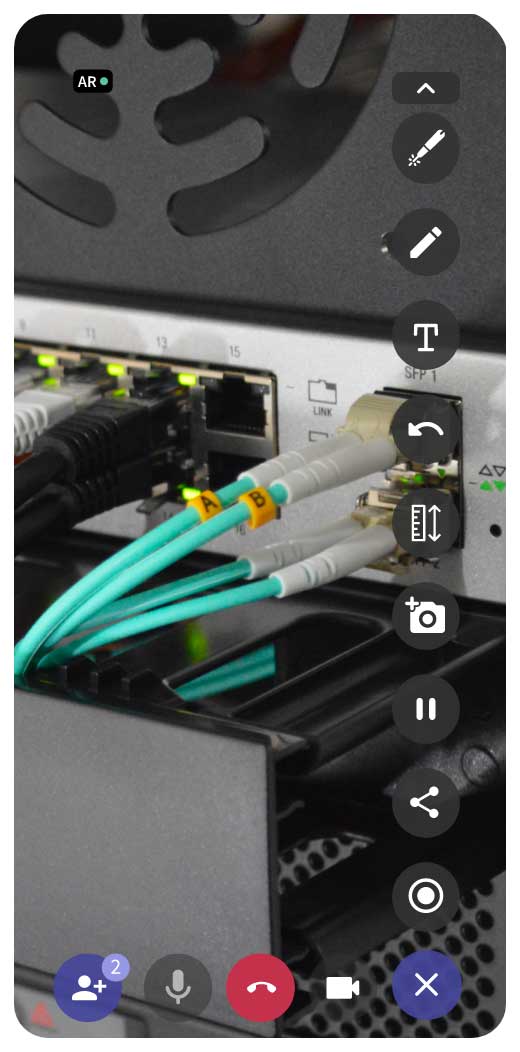
Live audio-visual capabilities facilitate rapid issue assessment, minimizing response times.
SOLVE
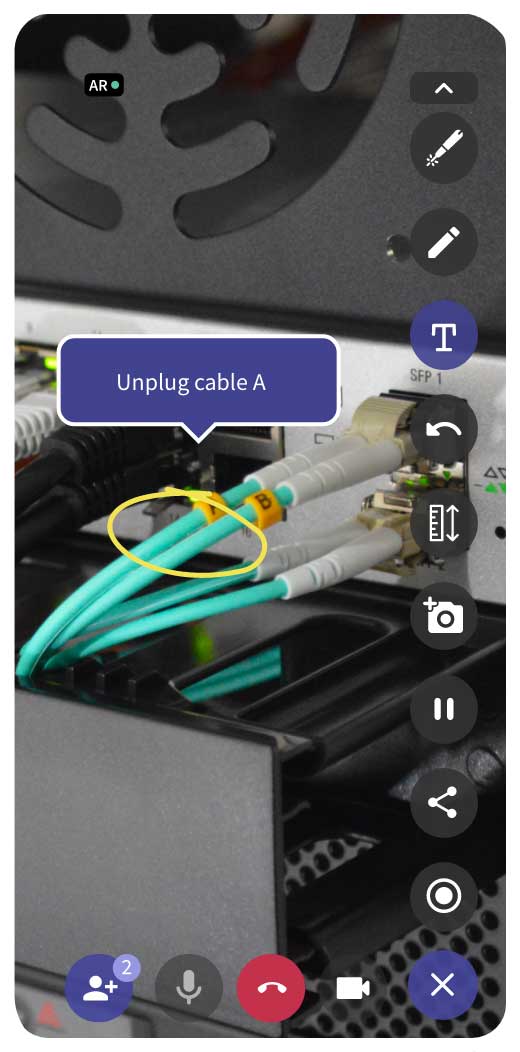
Incorporate AR annotations to facilitate collaborative, effective problem resolution.
SAVE
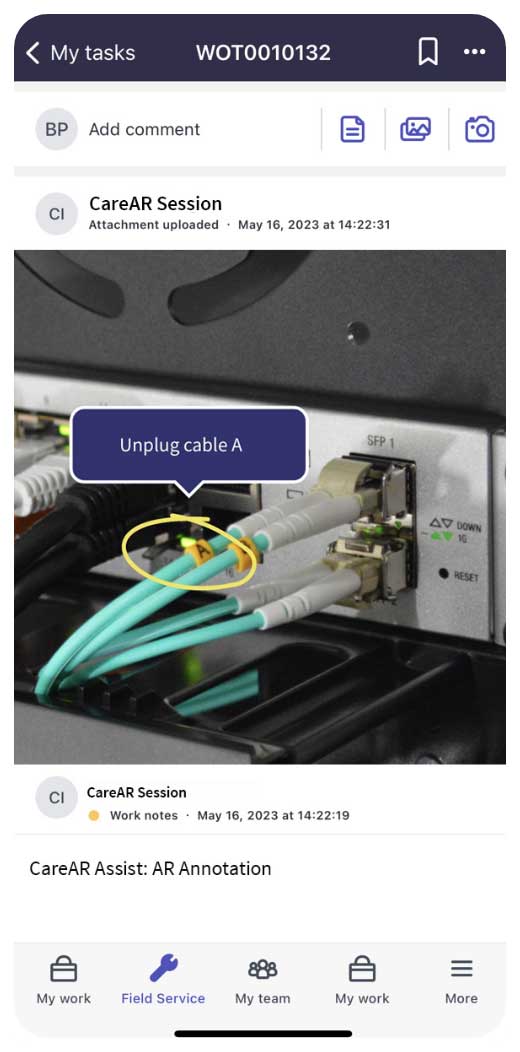
Snapshots, recordings, surveys, and analytics for the session are saved for tracking purposes.

Where teams use it
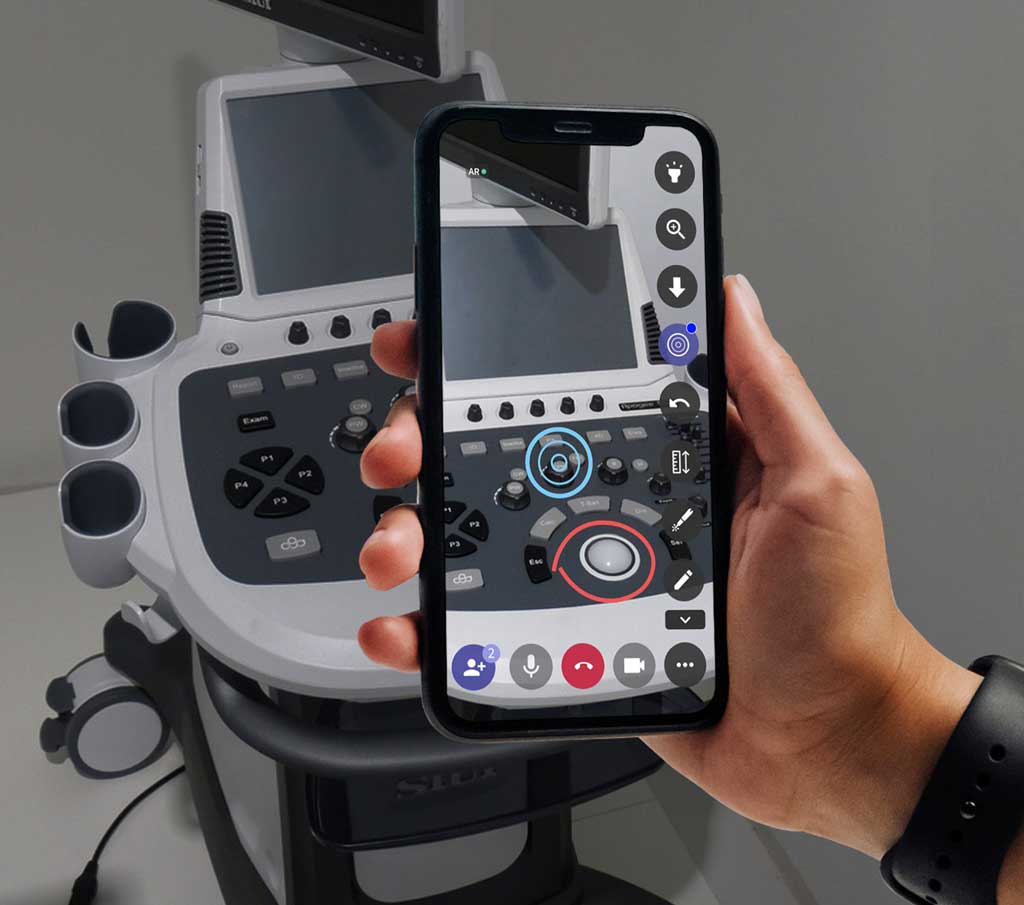
Reduced Truck Rolls
Remote expert guidance empowers on-site personnel to solve problems themselves.
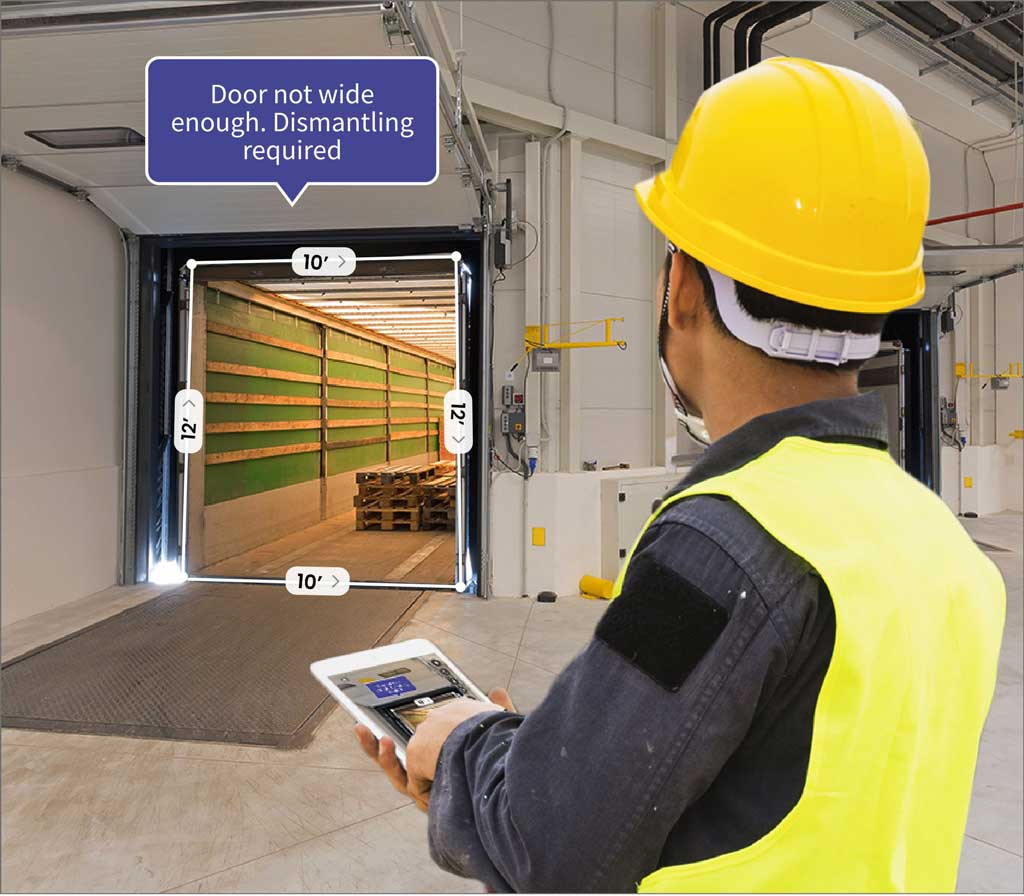
Increased First-time Fix
Technicians fix problems right the first time by seeing and guiding with AR.
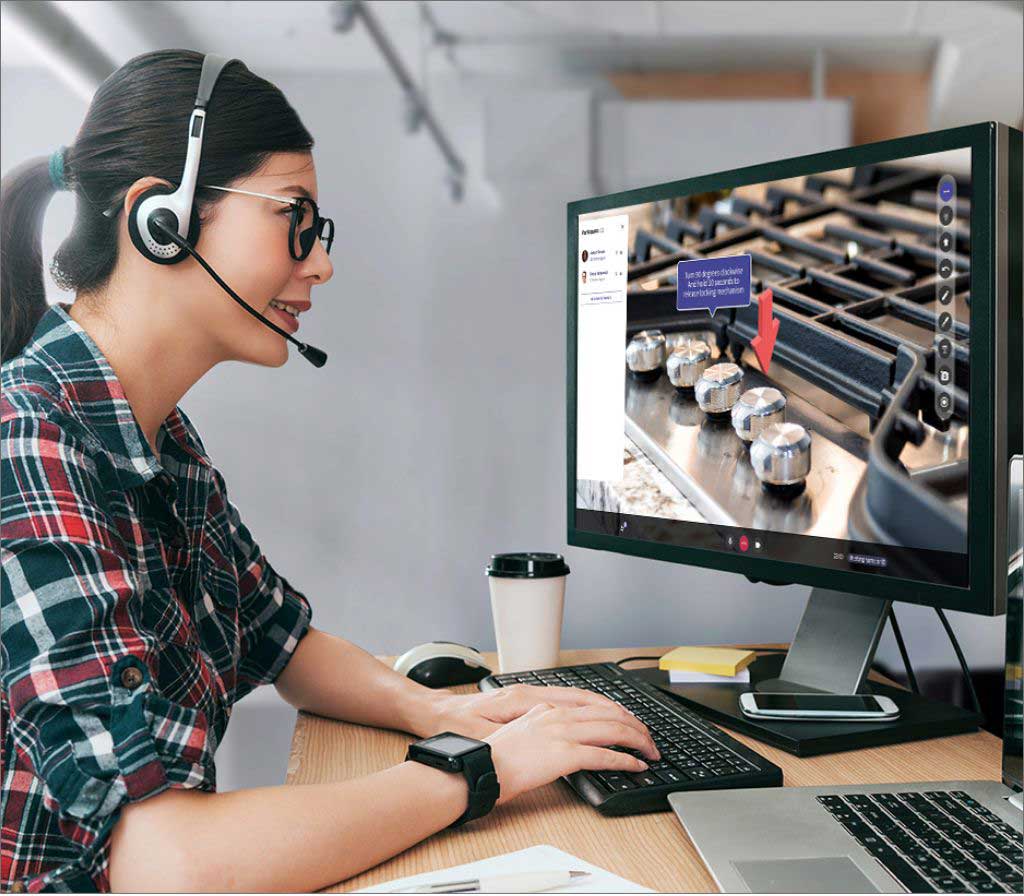
Reduce Handling Time
Visually guide customers, resolving issues faster and reducing call time.
Remote visual assistance for field service and customer support
Remote visual assistance, also called remote visual support or visual remote assistance, is live camera-based help. The person onsite shares the camera on their phone, tablet or smart glasses, and a remote expert sees the equipment and talks them through the fix.
ResolveGrid Assist is remote visual assistance software with augmented reality built in. The expert's annotations stay locked to the equipment as the camera moves, AR measurement checks dimensions remotely, and snapshots and recordings capture what was done. It runs in the browser with no app to install, and every session can flow into ServiceNow or Salesforce.
How remote assistance improves first-time fix rate
First-time fix rate is the share of jobs resolved on the first visit, with no return trip. Most failed first visits come down to a wrong diagnosis, the wrong parts, or a technician seeing a problem for the first time.
Remote visual assistance addresses all three. An expert confirms the diagnosis and the parts before anyone drives out, then joins live by video when the onsite technician gets stuck. ResolveGrid customers report an 82% first-time fix rate. Learn how first-time fix rate is measured.

Trusted by enterprise service innovators
Leading organizations rely on ResolveGrid to improve service performance, reduce operational costs, and bring the latest AI capabilities into field workflows.
“ResolveGrid reinforces the reliability of our service provision by validating in real time that an intervention has been carried out in accordance with our customers’ standard procedures.”
“Our business runs on technician performance. ResolveGrid ensures every tech, in every market, executes at our highest standard.”
“What ResolveGrid has done is taken the knowledge and information that we need at a specialist level and made it easily available at a point of work.”

Workflow Integrations

ServiceNow
Seamlessly integrate into ServiceNow CSM, FSM, and ITSM

Salesforce
Embed AR remote assistance into Service Cloud and Field Service
Web API
Create custom integrations with your own app using the web API

Amazon S3
Bring your own storage to save remote AR assistance sessions to AWS

Powerful AR Remote Assistance Tools to Make Anyone an Instant Expert
Data capture

Live assistance

Security
* 2026 audit underway. Bridge letter available upon request.
See all 16 features
Snapshot
Capture images with annotations from the session to document completed work
Video Recording
Record remote AR assistance sessions for quality and training purposes
Surveys
Collect post-call feedback, including satisfaction ratings, from both customers and agents
Analytics
Gain insights into team performance, interaction trends, and service utilization
AR Annotations
Facilitate visual collaboration through a rich suite of AR annotation tools
AR Measurement
Enable remote real-world measurements through an integrated AR ruler tool
Screen Sharing
Easily invite others to share their screen (desktop or mobile) for improved clarity and understanding
Any Device
Use remote AR assistance via desktop, mobile, smart glasses, or web browser
SSO support
Manage user identity with SAML authentication and just-in-time provisioning
Encryption
Sessions are encrypted to ensure the complete confidentiality of audio, video, and data
Data Residency
Ensure your data remains within your chosen geographic region
SOC 2*
Our security practices are independently verified to ensure the highest standards for data protection and control.
* 2026 audit underway. Bridge letter available upon request.
ServiceNow
Seamlessly integrate into ServiceNow CSM, FSM, and ITSM
Salesforce
Embed AR remote assistance into Service Cloud and Field Service
Web API
Create custom integrations with your own app using the web API
Amazon S3
Bring your own storage to save remote AR assistance sessions to AWS
AR remote assistance FAQ
What is AR remote assistance?
AR remote assistance is live video support where a remote expert sees what the person onsite sees through their phone or tablet camera and places augmented reality annotations, such as arrows, circles and text, directly on the equipment in view. The markers stay locked to the object as the camera moves, so instructions like "check this connector" are unambiguous. Field service, customer support and manufacturing teams use it to resolve issues without sending a technician.
How does augmented reality remote assistance work?
The expert sends a link by SMS or email. The technician or customer opens it, points their camera at the equipment, and the expert sees the live view. The expert annotates, measures, shares their screen or snaps photos, and talks the person through the fix. Sessions can be recorded, and captured images and notes can flow into the service record in ServiceNow, Salesforce or your own system.
Does the customer or technician need to install an app?
No. ResolveGrid Assist runs in the browser on any phone, tablet or computer. The person onsite taps a link and the session starts. Native iOS and Android apps are available for teams that want them, but they are optional.
How is AR remote assistance different from a normal video call?
A video call shows the expert a picture. AR remote assistance lets the expert act on it: annotations anchored to the physical object, measurements, snapshots, recordings and a session history tied to the work order. The result is less back-and-forth and a record of what was seen and done.
Remote assistance is one part of ResolveGrid's AI field service software.Is it secure enough for enterprise use?
Sessions are encrypted, with SSO support and regional data residency options. ResolveGrid is SOC 2 compliant and offers cloud, on-premises and air-gapped deployment for teams with strict data requirements.
How much can AR remote assistance reduce truck rolls?
Teams using ResolveGrid Assist report up to 50% fewer dispatches, because many issues turn out to be configuration errors, user errors or simple fixes that an expert can guide remotely. For issues that do need a visit, the remote session confirms the problem and parts needed, so the technician arrives ready to fix it the first time.
What is remote visual assistance?
Remote visual assistance is live video support in which a remote expert sees the equipment through the camera of the person onsite and guides them through the fix. It is also called remote visual support or visual remote assistance. ResolveGrid Assist adds augmented reality annotations, measurement and session recording on top of the live video.
Is remote visual assistance the same as AR remote assistance?
AR remote assistance is a form of remote visual assistance. Both use live video so an expert can see the problem. AR remote assistance adds annotations that stay locked to the physical equipment, plus measurement and snapshots, so instructions point at the exact part instead of relying on verbal directions.
